(A tutorial for Corel Photo Paint)
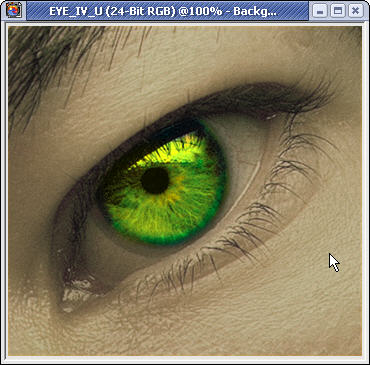
First start off by opeing the image that you want to add your scanlines too. I chose this lovley stock photo of an eye. NOTE: the color of the iris was edited for just kicks
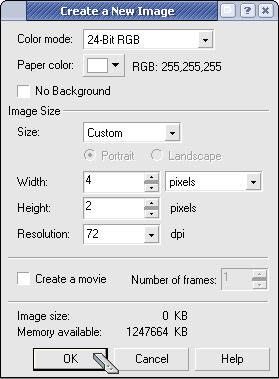
Now create a new a new document with these attributes.
you should now have a very small image. Zoom all the way in and color the first row of pixels black and leave the 2nd one white.
*Click the image to download my scanline image file.
Now save that file some where where you wont forget it. IE. To the desktop
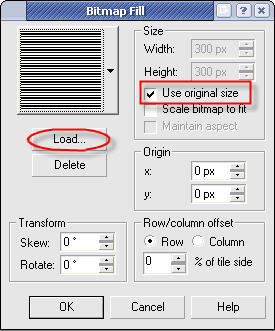
now create a new object by clicking Object � Create � New Object. Once thats finished click Edit � Fill on the dialog that pops up select Bitmap fill and click the edit button. Now on this dialog click the load button and open up the file we saved earler. Also make sure that the Use orignal size check box is checked
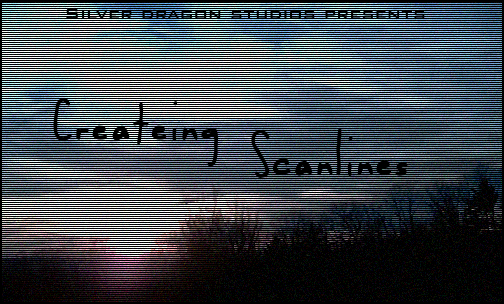
Now click ok on both of the open dialogs. Your image should now be filled with lots of little black and white lines or scanlines. Select the layer with the scanlines and change the "Merge Mode/Blend mode" to Multiply. Your image should look like this.
Because the scanlines make you image look a lot darker you may want to brighten you image after you add the scanlines. Here was my final result.